UX DESIGN
SENIOR PRODUCT DESIGNER
4-WEEK PROJECT
B2B ENTERPRISE SAAS
Component design
The Netflix carousel, a benefits platform, and what happens when you look closely at both
A product leader wanted a carousel component inspired by Netflix for a redesigned home screen. I built it. I also spent time understanding why the Netflix carousel works, what that meant for our context, and how to make the component as good as it could possibly be whether or not any of that analysis changed the outcome.
6 decisions
Distinct design decisions explored and documented within the component
WCAG documented
Accessibility requirements researched and shared with the development team
Dev first
Met with the front end developers before stakeholder presentation to pressure test feasibility
BACKGROUND
A platform redesign and a familiar reference point
THE CONTEXT
The platform was undergoing a significant redesign with a focus on surfacing AI-driven recommendations and tasks directly on the end user home screen. One of the new sections being added was a horizontally scrolling card feed. This feed was a place where users could see required actions, upcoming deadlines, and programs relevant to them, all in one place.
THE REFERENCE
The reference point provided was Netflix. The product leader wanted something that carried the same energy as the Netflix carousel. It needed to be visually engaging, easy to scroll through, and filled with content that felt personalized and worth exploring. The ask was clear: build a card slider component that could be used across the platform, starting with this home screen section.
THE REQUEST
What they asked for, and the question underneath it
The original screen provided as a starting point showed the carousel section with a mix of card types, required actions with deadlines, recommended programs, and dismissible suggestions. The visual direction was set. The component just needed to be built.
But sitting with the request, a question started forming. Netflix carousels work remarkably well, but is that because of how they are designed, or because of what they contain. And if the answer was the latter, that had implications for what we were building.
Rather than raising that question as an objection, I decided to answer it first.
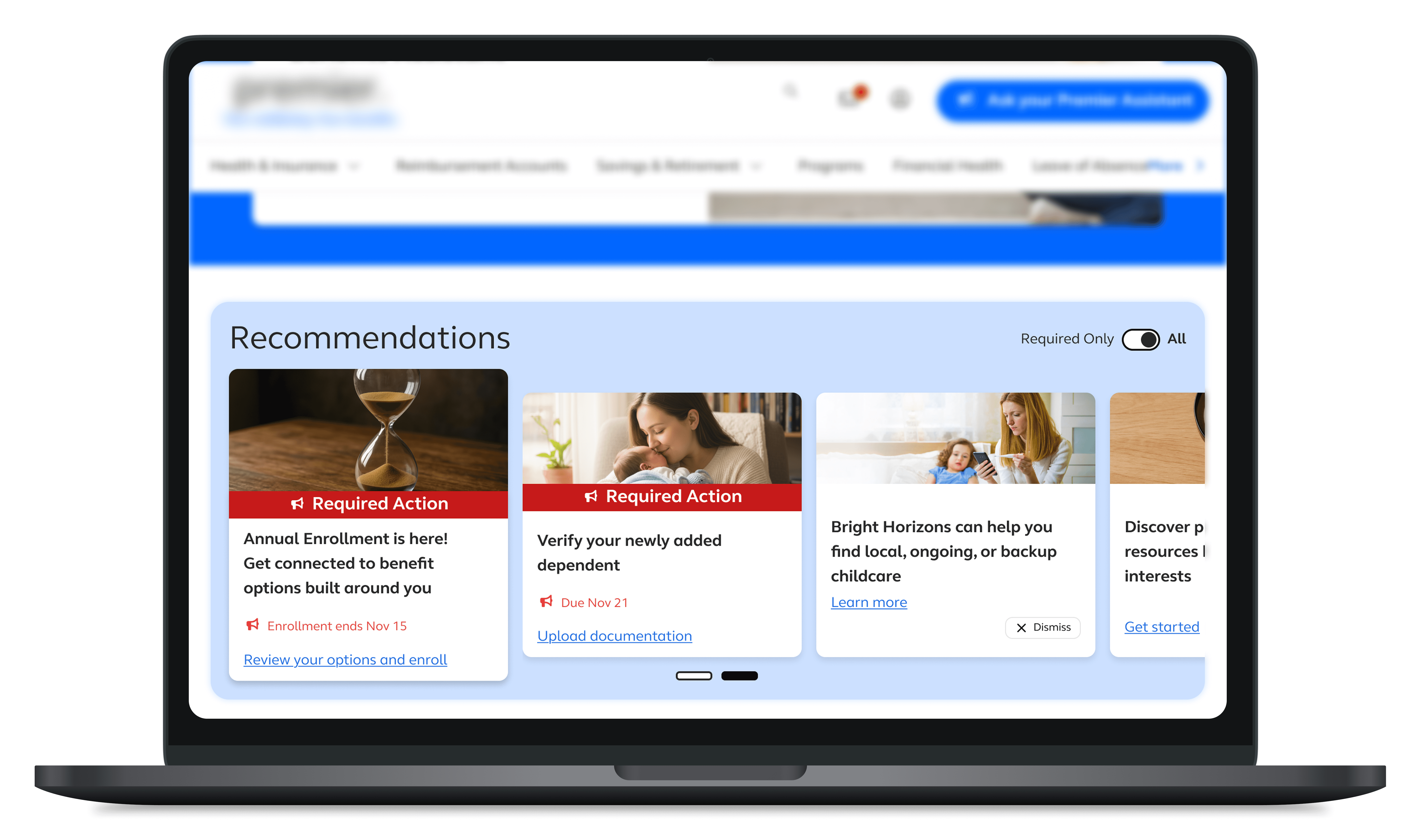
original version provided by the product leaders to be used as inspiration (image coming soon)
KEY TAKEAWAYS
What this project refinforced
Before designing anything, I spent time doing a proper breakdown of the Netflix carousel. Not just how it looked, but how it functioned and why users responded to it the way they did.

Intrinsic motivation
Netflix taps into users' intrinsic motivation. People watch for pleasure, curiosity, and relaxation. Each card represents a potential reward and scrolling feels like a game of discovery, stimulating the dopamine reward system.

Variable rewards
Users do not know what they will find next because the content is diverse (genres, actors, trending shows). That unknown triggers a dopamine response encouraging users to continue because the next section might be better.

Cognitive load and mental framing
Browsing is easy because the decisions are reversible and low-stakes. It is a leisurely action that puts users in a relaxed state and makes them more open to exploration and discovery.

Design and UX factors
High quality imagery, personalized recommendations based on watch history, and micro-interactions like hover previews and trailers create an engaging experience that reinforces all of the above.
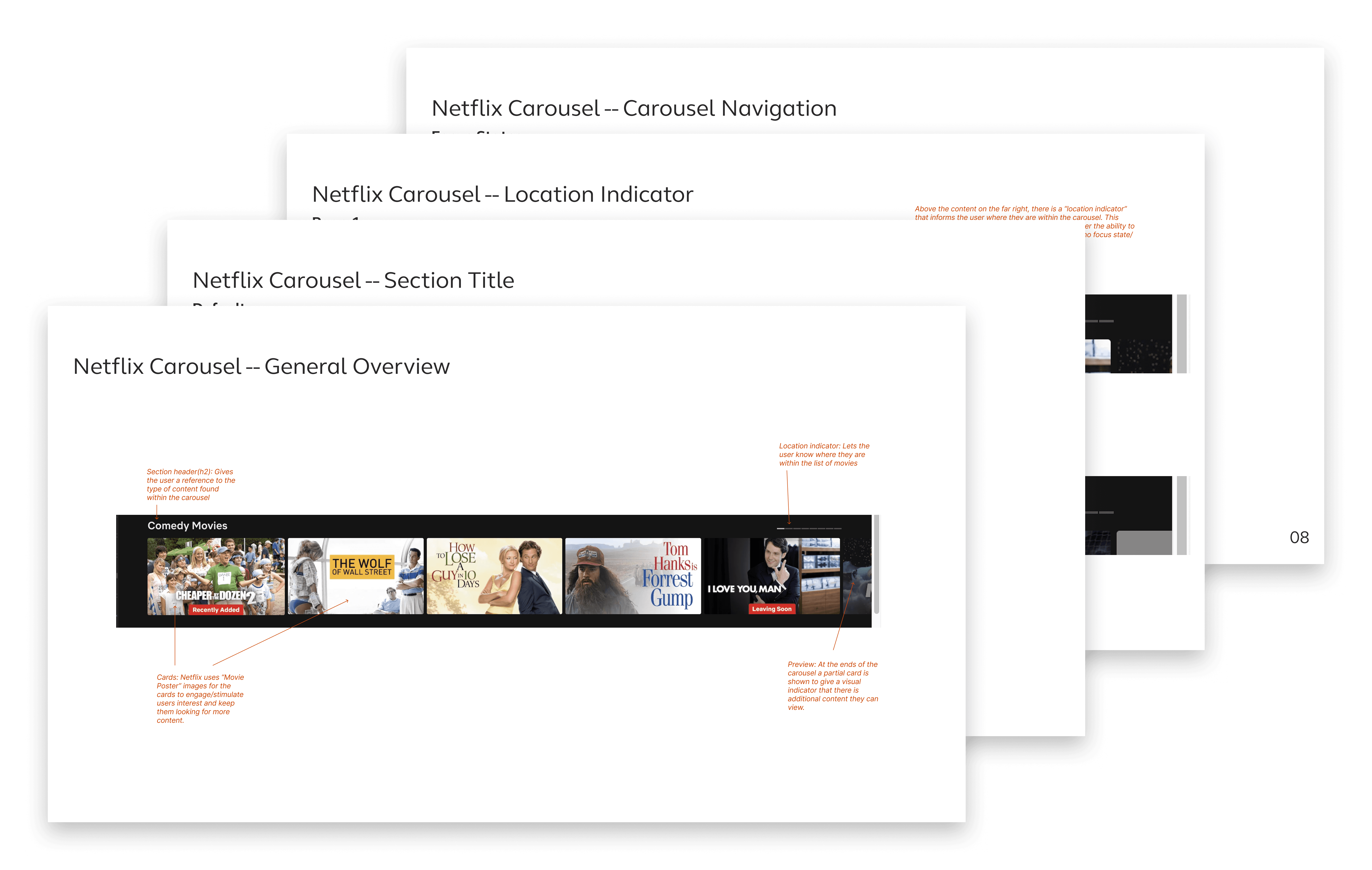
anatomy breakdown of netflix carousel
The honest conclusion was that Netflix's carousel works largely because of what is in it. Users are scrolling through content they want to engage with, it's something they get to choose. The motivational context is fundamentally different from a carousel of tasks a user has to complete: annual enrollment deadlines, required document uploads, profile updates. Those are obligations, not discoveries.
Rather than stopping there, I asked what could actually be taken from the Netflix approach and applied to our context. Personalization was the clearest opportunity. Replacing text-heavy cards with quality imagery could reduce cognitive load and increase emotional engagement. Writing card titles that were engaging rather than administrative could make required tasks feel less like a form. A hover state revealing a more detailed preview could introduce a small element of variable reward within the constraints available.
These were not hypothetical observations. They became the basis for specific recommendations I brought to the presentation, ways the component and the content within it could be designed to work harder for users. Several of those recommendations involved changes to the card designs themselves, which fell outside the scope of this project. Implementing them would have required a heavier lift than the timeline allowed for. The recommendations were documented and presented, but the component was built around the cards as they existed.
Personalization
Showing users content that feels more relevant to can help them feel more engaged and connected to the content in the carousel. We should ensure that they content users see is tailored to them by utilizing information we have about the user (role, location, profile information, etc.).
Visual appeal & Emotional connection
By replacing text heavy cards with high quality imagery we can help reduce the cognitive load and increase emotional engagement. Including images of happy families, wellness themes, and overall positive imagery is more likely to draw the users attention and keep them looking at more content
Cognitive load & Creating motivation
Breaking down the card titles into easily digestible and engaging titles that peak the users curiosity can make the experience feel less like a required task that needs to be completed and make it a more pleasant experience.
Variable reward
In combination with shorter digestible titles, implementing a hover state for the card that shows a more detailed “preview” or explanation creates an engaging interaction without overloading the user with information on the front end.
"Removing intrinsic motivation does not make the carousel stop working, but it does change what the design needs to do to compensate."
BUILDING THE COMPONENT
Six decisions that shaped the final design
Before presenting anything to product stakeholders, I met with the front end developers assigned tot he project to share progress and get feedback. That conversation helped ground the design decisions in technical reality. It helped guide not just how the component would look, but how it would be built and how it would fit into the existing ecosystem.
DECISION 01
Navigation and the partial card approach
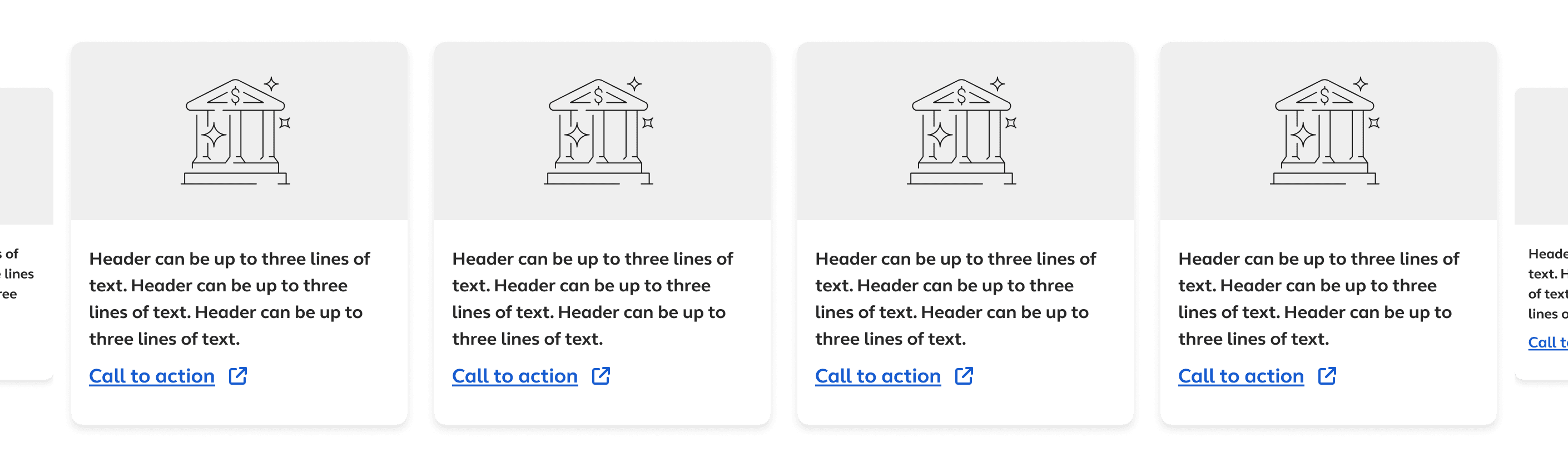
A version with no overflow cards was immediately ruled out, the product leaders believed that if users could not see content beyond the visible cards they would not scroll. That left two directions for showing partial cards on either end, both revealing navigation arrows on hover over the full container. The difference was card size. I preferred the scaled down version because it directed attention to the actionable content while still signaling that more existed. The stakeholders chose full size cards, partly because a larger feature card in the first slot would have created three different card sizes which was more complexity than anyone wanted.
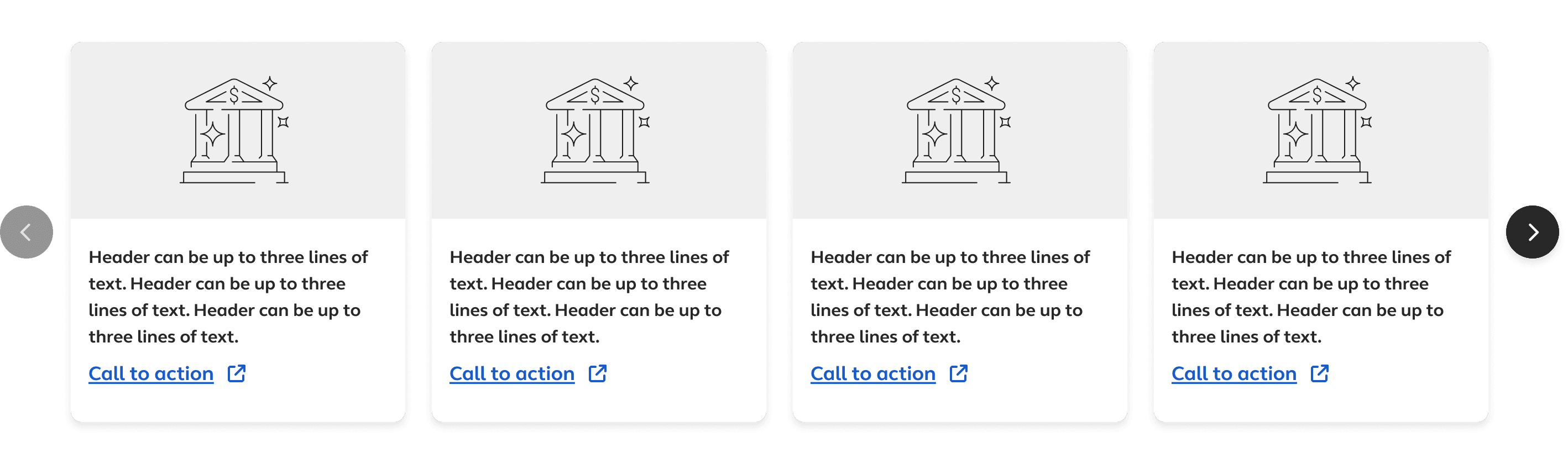
No overflow cards
Clean edges, but no preview for the other content that existed
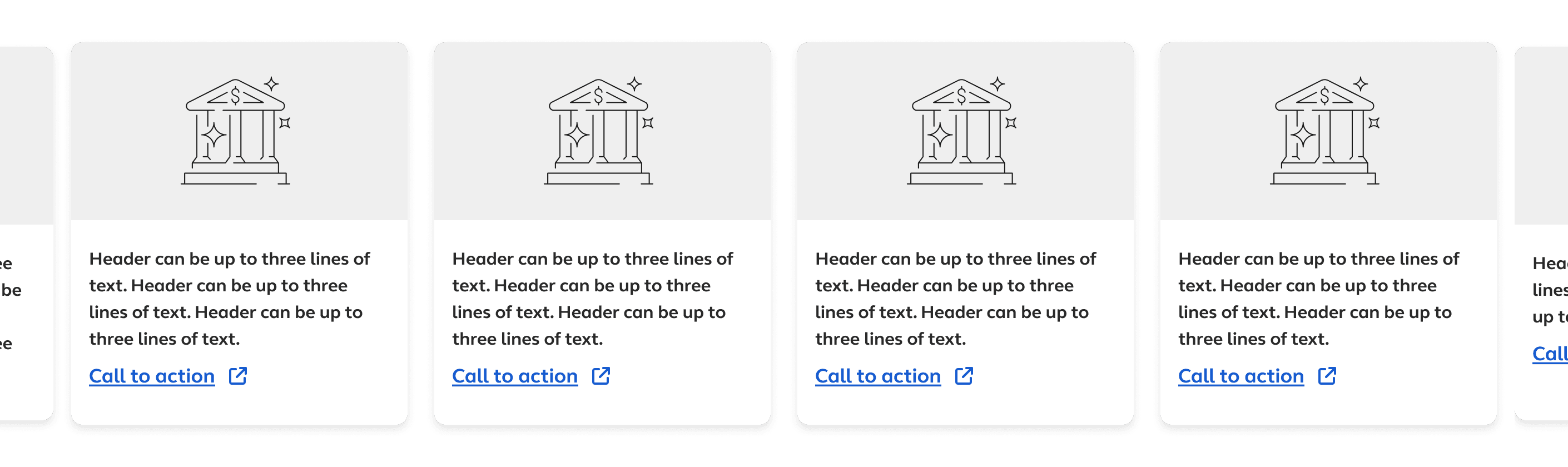
Full size overflow
Final direction, showing partial cards at full size on either end
Scaled down overflow
My preference, showing smaller overflow cards to emphasize active content
DECISION 02
The title component and the Explore all question
I explored a title component that followed a similar pattern to Netflix. The concept had a section header that revealed an Explore all option on hover, opening either a modal or a dedicated page showing all available cards. My preference was a dedicated page because it gave users a complete picture of everything available rather than hiding content behind the carousel mechanic. The stakeholders decided against it. The push was for users to scroll rather than navigate to a new screen. I disagreed with that reasoning but did not push back, it was not a battle worth fighting because the component would still function properly without it.
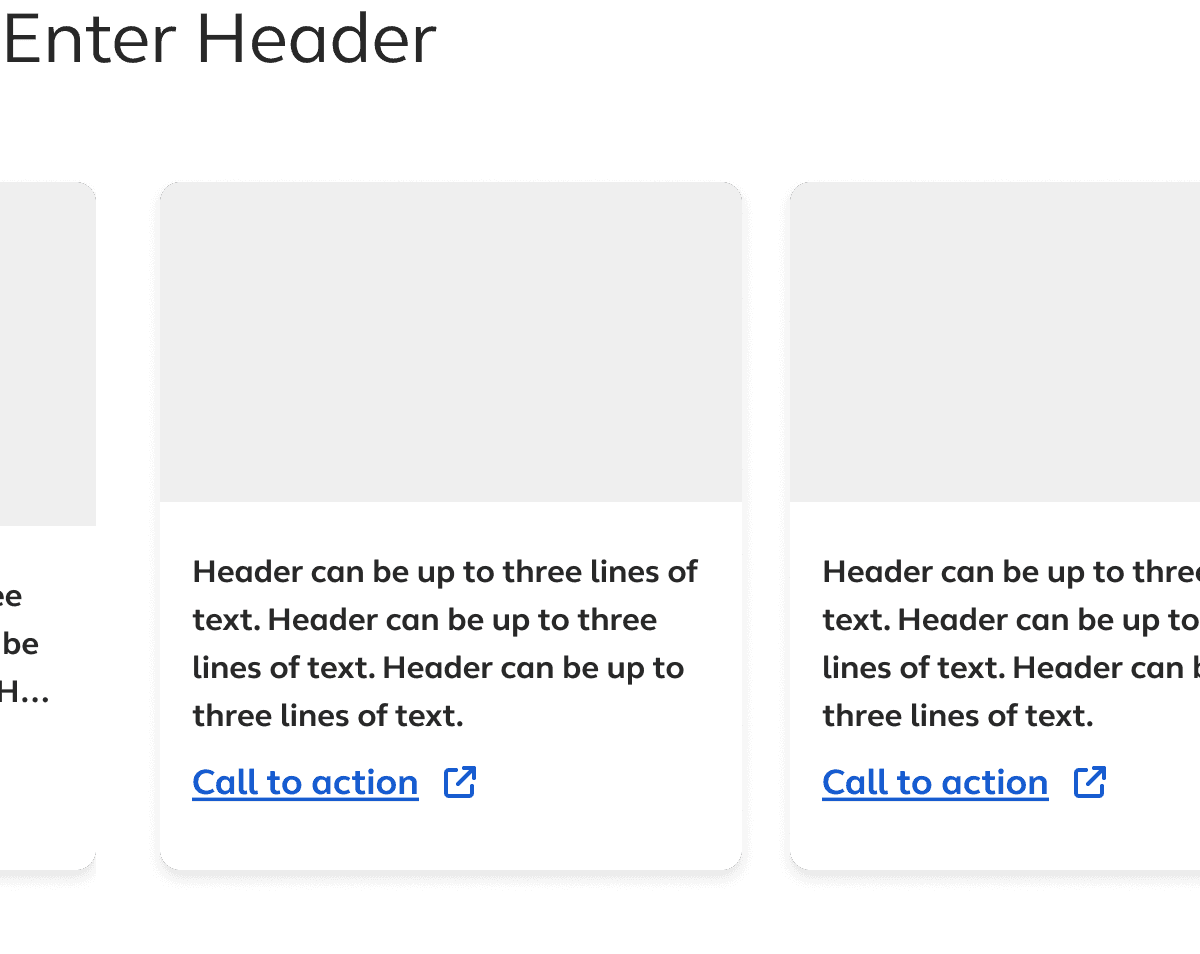
Default
Section title with no additional controls visible
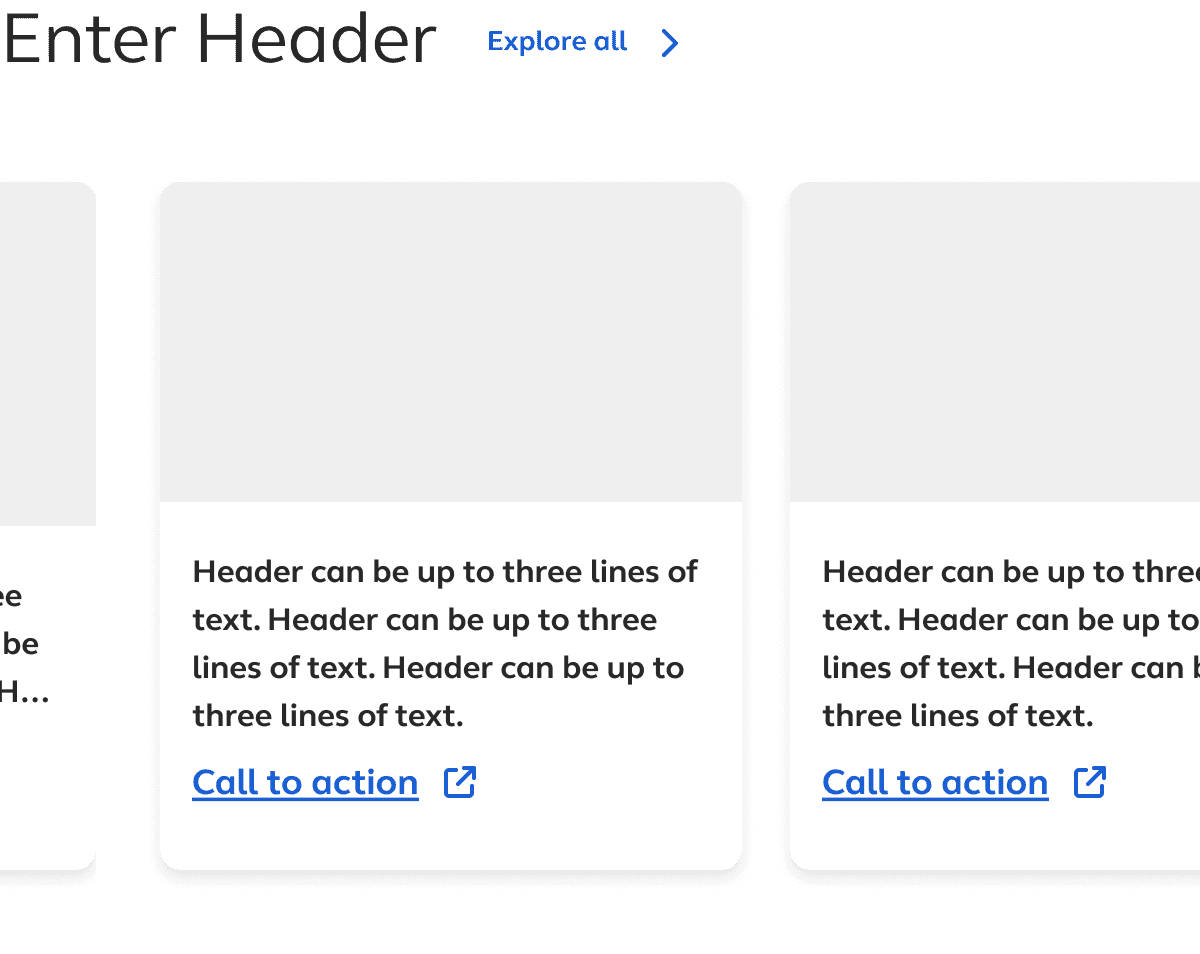
Hover
Explore all options revealed on hover. This was not used in the final component.
DECISION 03
Breakpoint mapping
I mapped out at what screen widths the carousel should shift from four visible cards to three, to two, to one. This was primarily a readability and usability decision to ensure cards remained legible and actionable at every breakpoint rather than shrinking awkwardly as the viewport narrowed.

Breakpoint breakdown for the component
DECISION 04
Page indicator styling
The stakeholders had a preference for an indicator style that I felt was too visually heavy and did not clearly communicate which page the user was on. I proposed a variation that split the difference. I borrowed the shape from an older carousel pattern that had been retired from the platform and combining it with a slightly larger active state indicator. This is the version we ended up moving forward with.
Original request
Visually heavy, active state not clearly distinguished
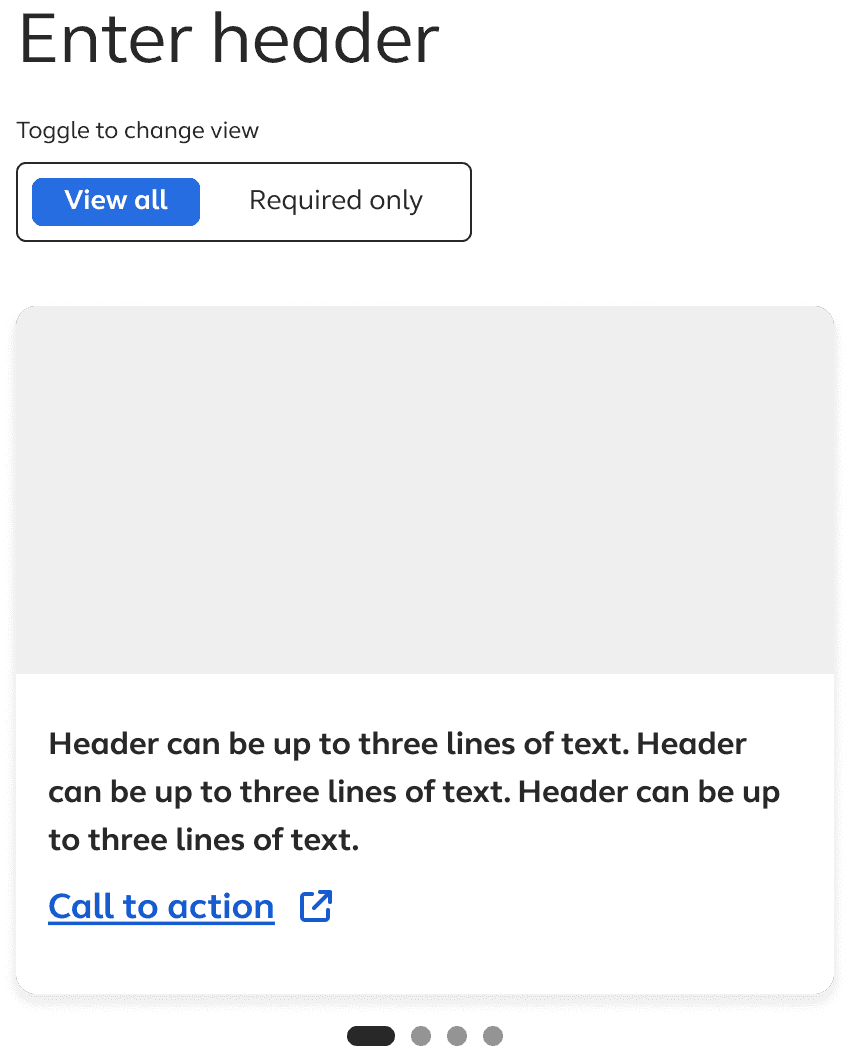
Final direction
Refined shape, clear active state. This version was adopted into the component.
DECISION 05
Indicator position
I explored two positions for the page indicators, a top right version which is where Netflix places them, and bottom center. We chose bottom center for two reasons. From a development standpoint it created a more logical DOM structure. From an accessiblity standpoint it followed a more predictable keyboard navigation pattern, keeping the focus order sequential rather than requiring users to reach across the component to access the indicators.
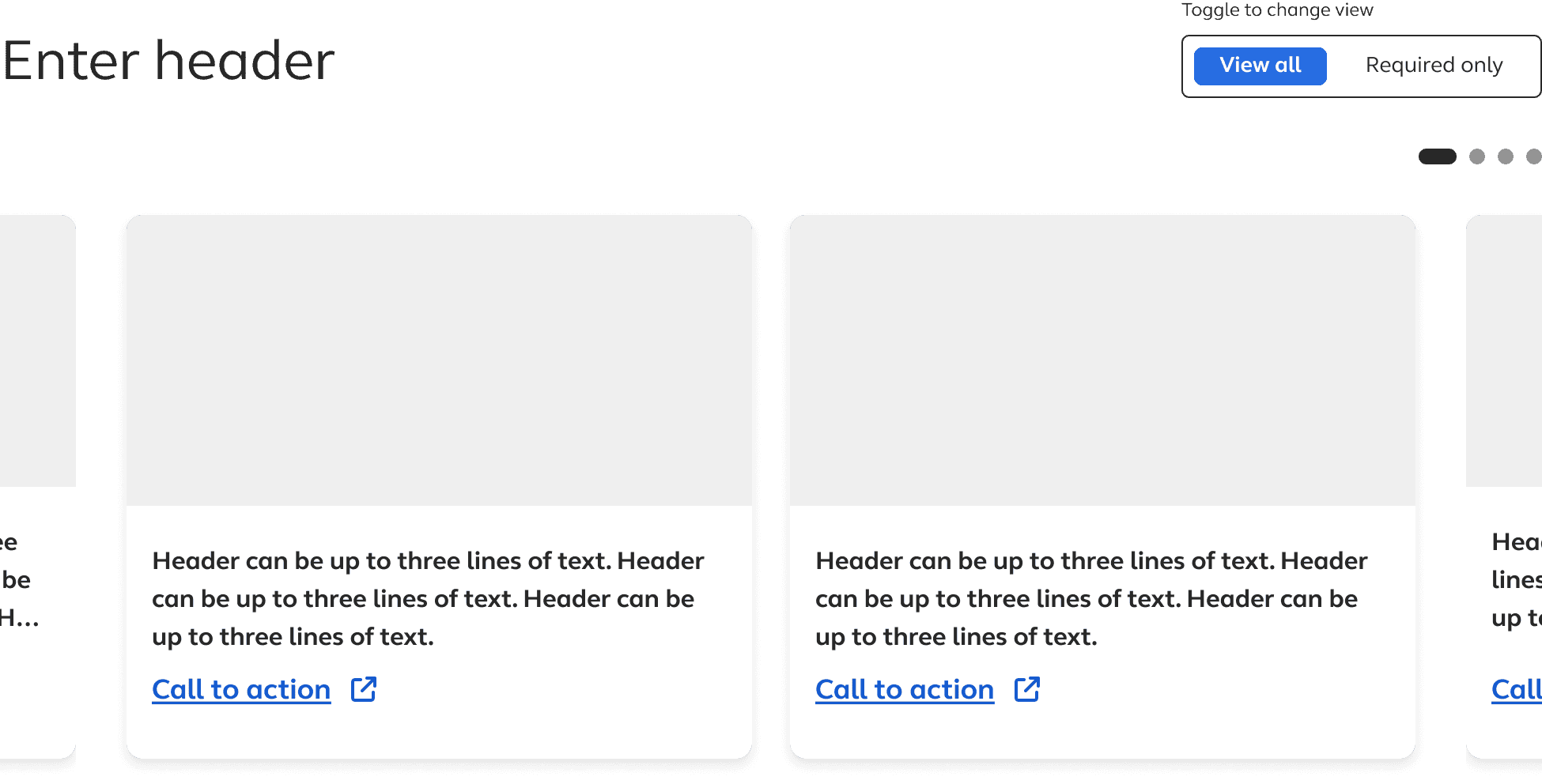
Top right (Netflix pattern)
Disrupts focus order, less predictable for keyboard users
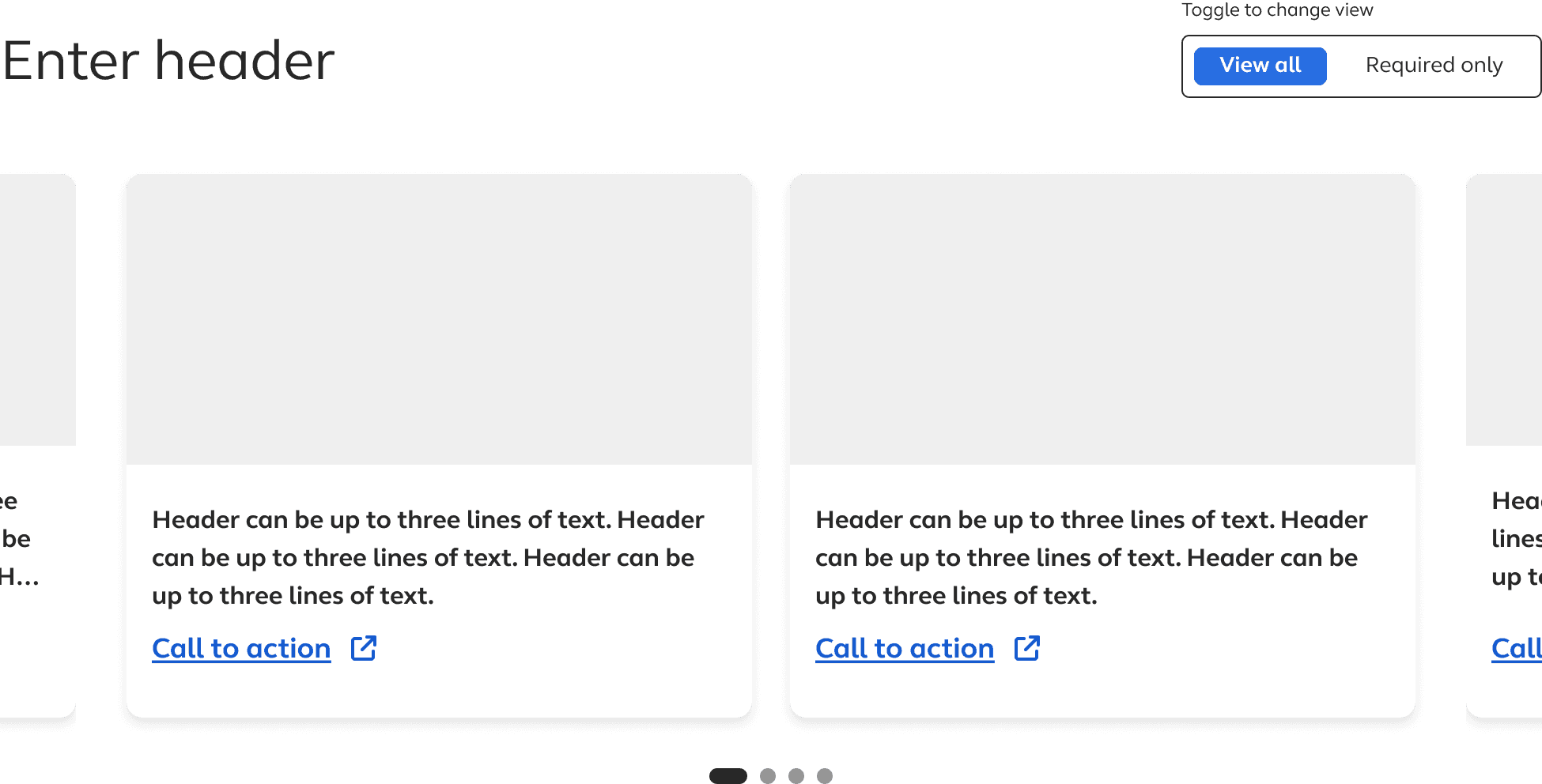
Bottom center (final)
More logical DOM structure, sequential keyboard navigation
DECISION 06
The filter toggle and a design system argument
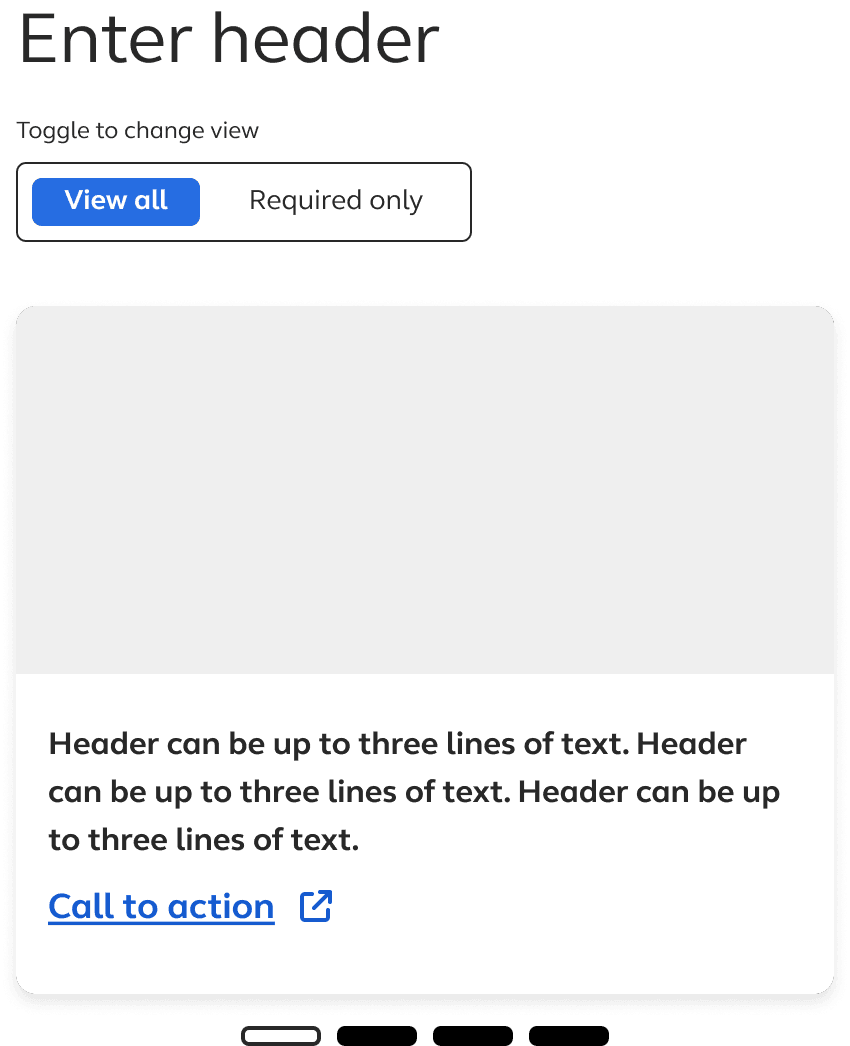
The stakeholders wanted users to be able to filter the carousel between all cards and required-only cards. The design they were using resembled a traditional on/off toggle, the kind used to enable or disable a setting. One state visually read as disabled or turned off which was not the right mental. The filter was not turning something on or off. It was switching between two views of the same data.
Our design system had a component for exactly this, a toggle button group used for filtering between two or three sets of data. I proposed using it instead and they agreed. The adopted version also included a rule that if no required cards existed within a given instance of the carousel, the filter would be hidden automatically so users would never see an option with no functional effect.
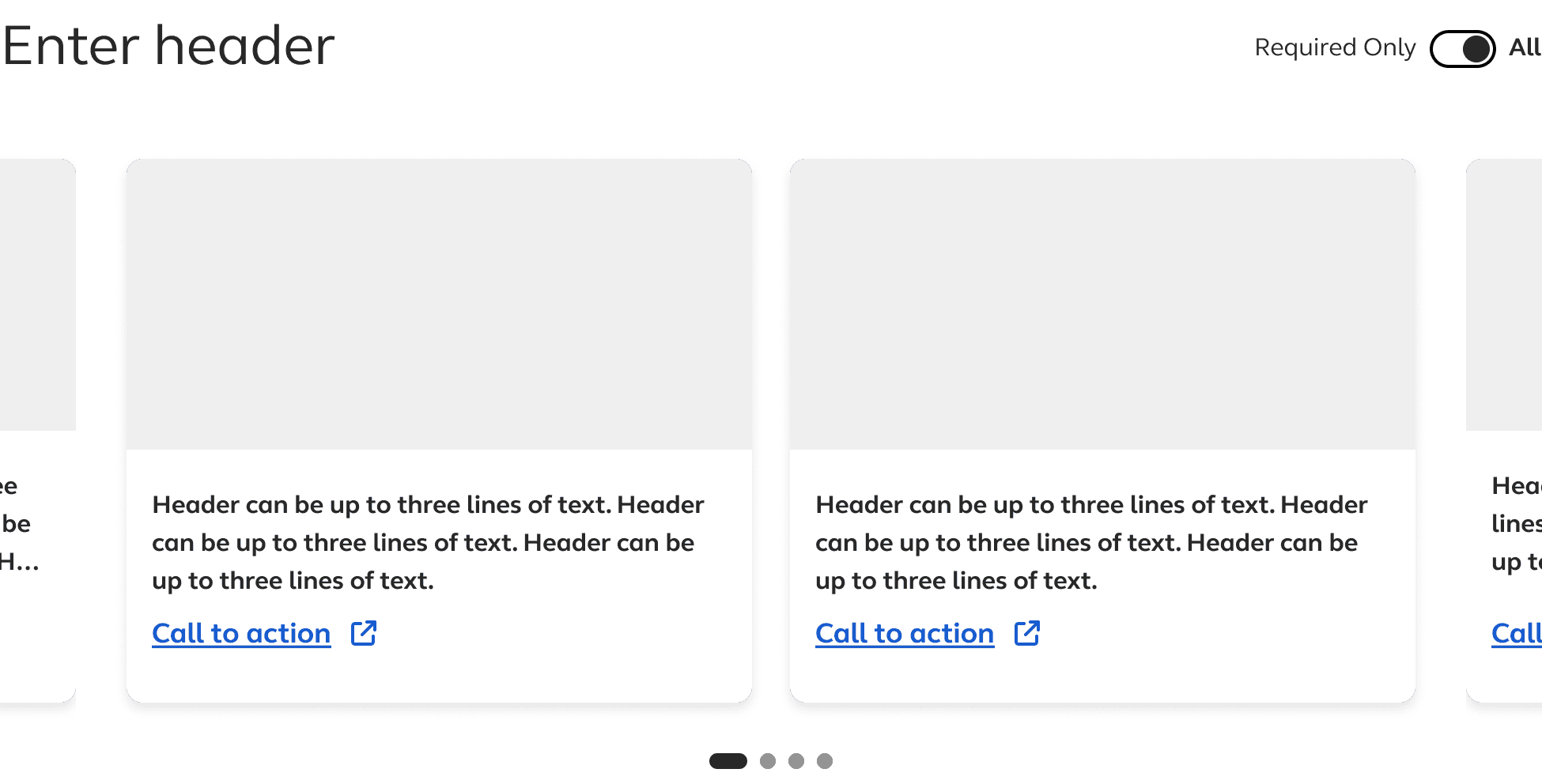
Original direction
On/off toggle: one state read as disabled
Final direction
Correct component for filtering between two views of the same data
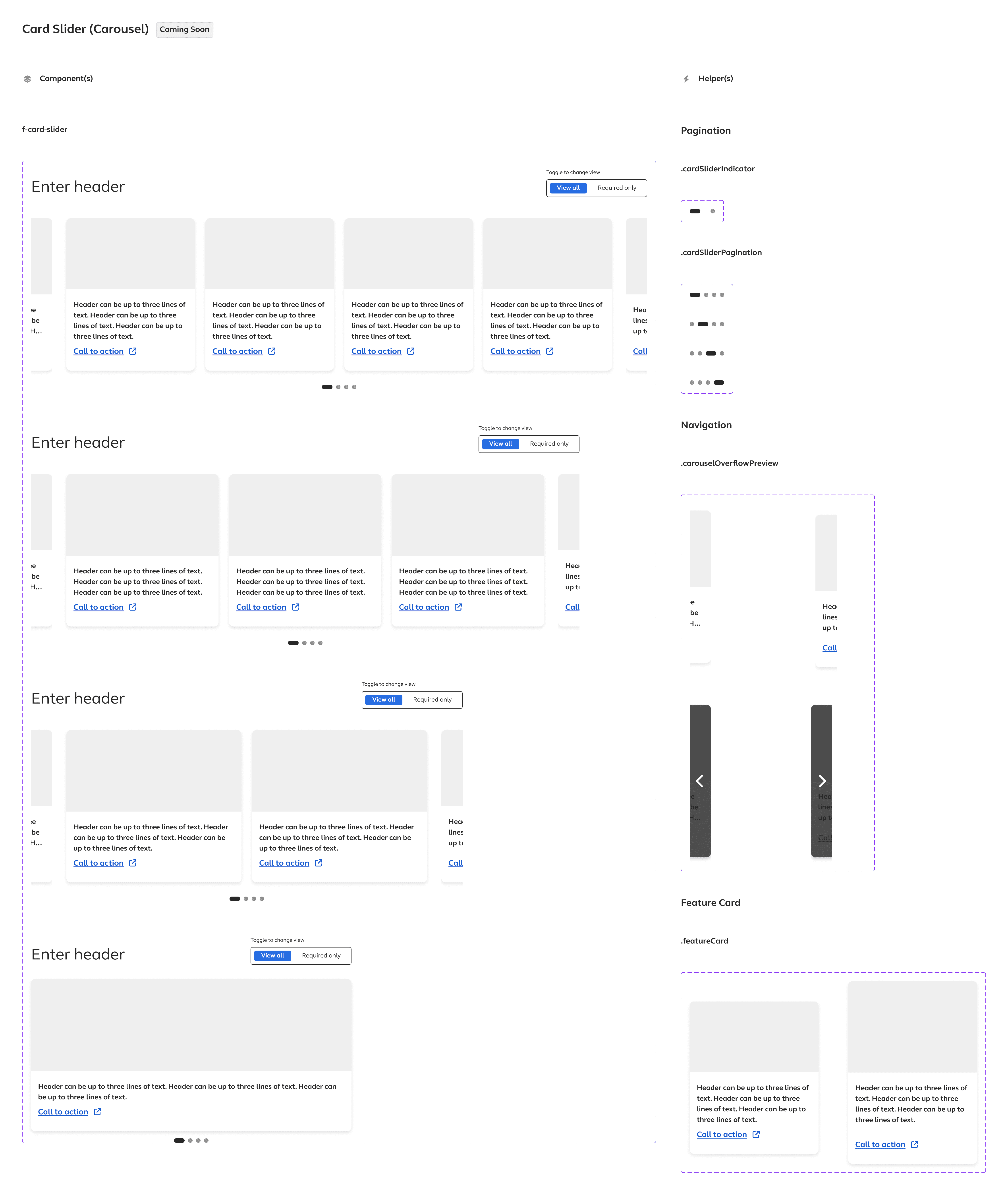
Final component with all variants and helper components
ACCESSIBILITY
Researching what the component needed to get right
Carousels are one of the most accessibility-complex components in common use. Before finalizing any interaction decisions, I researched WCAG requirements that applied specifically to this component and documented them for the development team. Some of that research directly informed design decisions, specifically around the indicator position, the keyboard navigation behavior, and the focus state specifications.
REQUIREMENTS
Pause, Stop, Hide WCAG 2.2.2 Level A
Full keyboard operability WCAG 2.1.1
Visible focus indicator WCAG 2.4.7 Level AA
Logical focus order WCAG 2.4.3 Level A
Slide change announcements WCAG 1.3.1
Proper ARIA roles and labels WCAG 4.1.2
No keyboard traps
Reduced motion preferences WCAG 2.3.3
NICE TO HAVES
Slide position indicators with text announcements
ARIA roledescription identifying component as carousel
Tablist and tabpanel structure for recognized widget pattern
Manual controls for specific slides
Automatic pause on hover
Semantic headings per slide
Responsive touch support WCAG 2.5.1
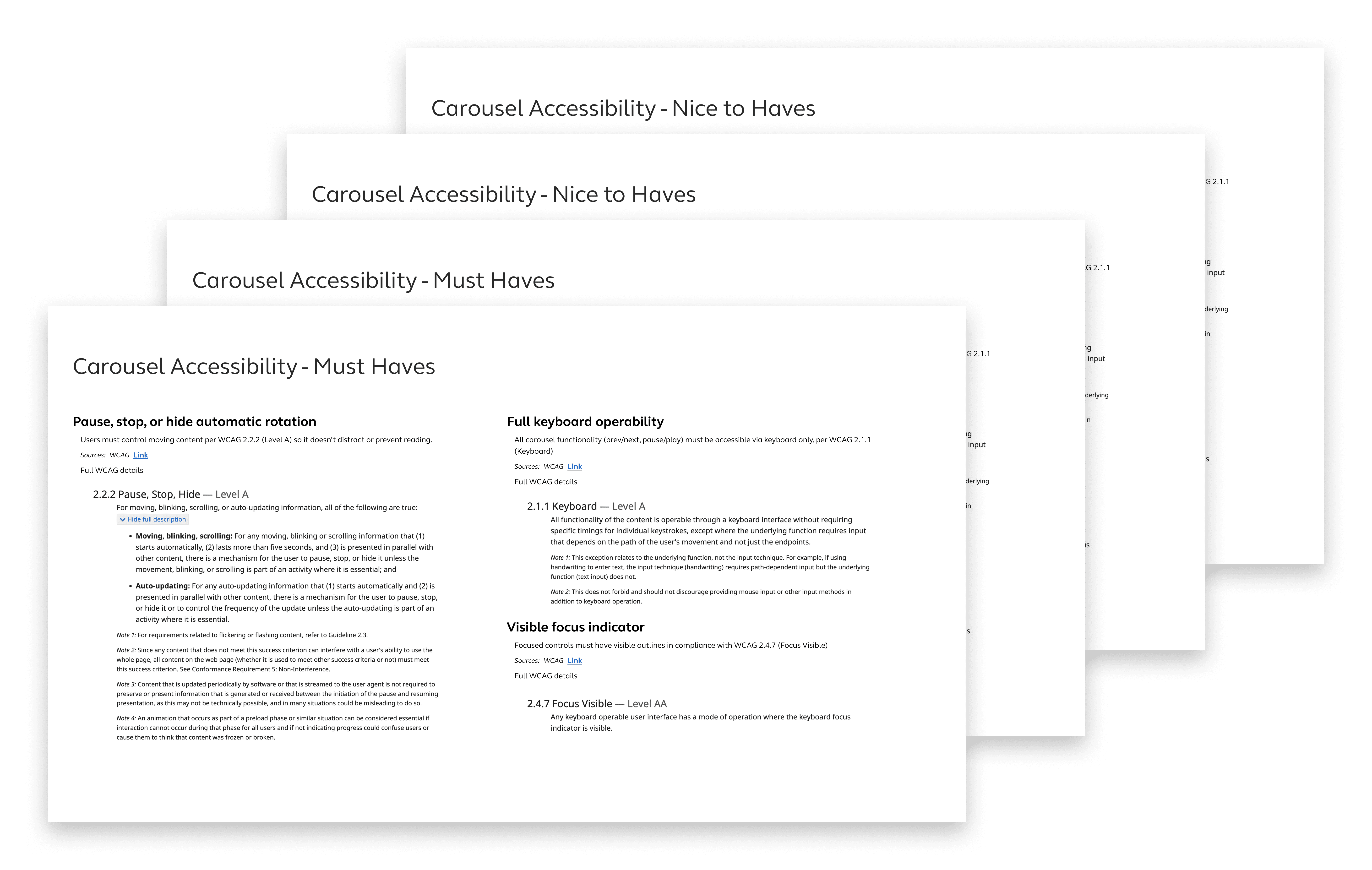
Accessibility documentation shared with development team
THE PRESENTATION
How the analysis landed, and what moved forward
The presentation followed a specific sequence. Netflix breakdown first, showing the anatomy of the component, the interaction states, what it was doing and how. Then the psychological analysis of why it worked. Then a brief and honest acknowledgment that some of those drivers did not map cleanly onto the content we were putting in the carousel. Then the lessons that could be applied. Finally we went over the current state of the component.
The room was mostly quiet during the analysis. I was thanked for going beyond just building what was asked for. And then the conversation moved to the component itself.
I did not expect the analysis to change the direction. That was not really the point. My job is to give decision makers the full picture and to advocate for users by making sure the people building the product understand the context they are designing within. Whether that changes the outcome is not always in my control. What is in my control is the quality and honesty of the information I put in front of them.
The component moved into active development. The design system toggle buttongroup decision was adopted. The accessibility documentation was in the hands of the developers. At the time of my departure the component was being built and I do not know its current status.
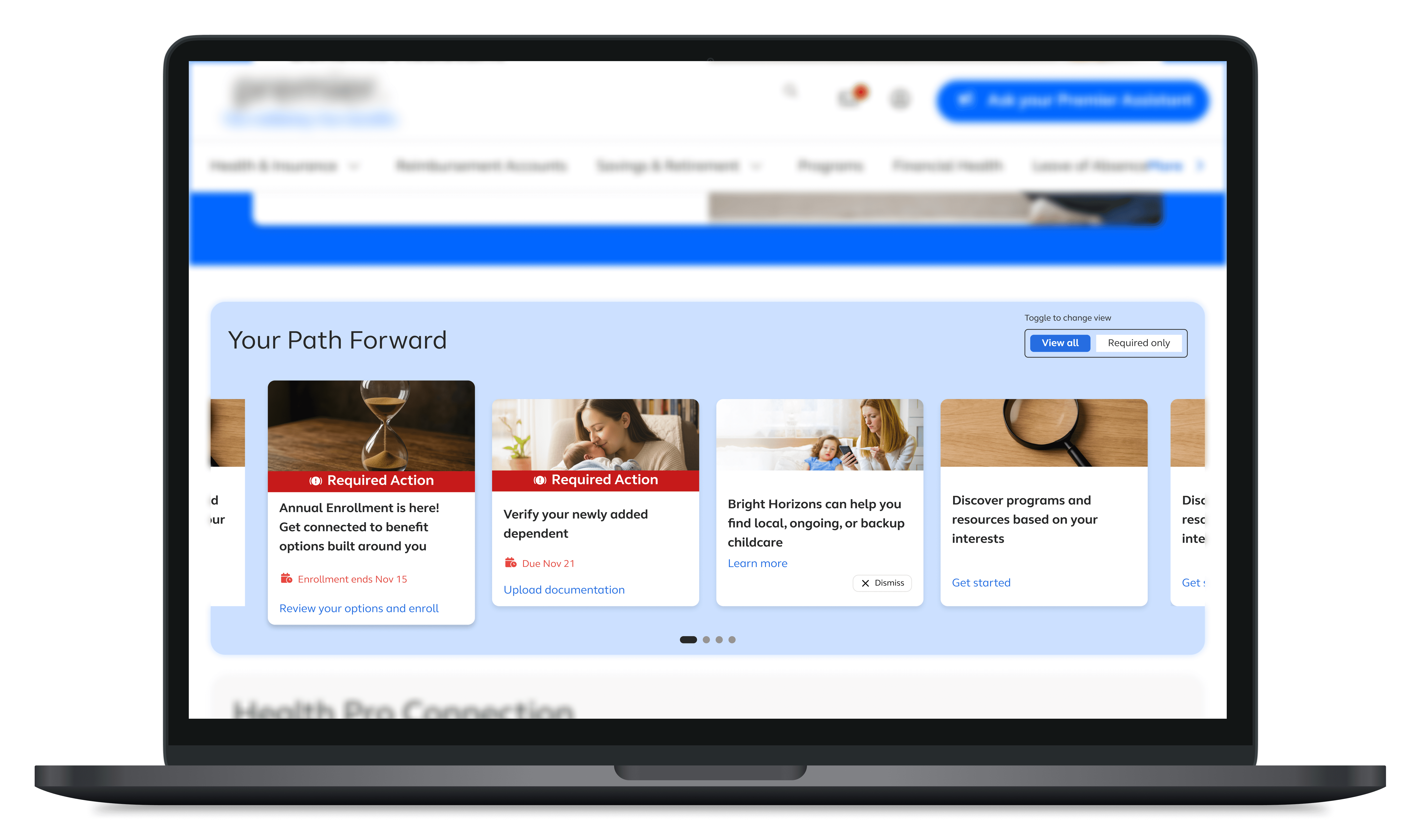
Final Component Design
KEY TAKEAWAYS
What this project refinforced
ON ADVOCACY
Thorough work is a form of advocacy even when it does not change the outcome
The psychological analysis did not redirect the project. But it sharpened my own thinking, informed specific design decisions, and exists as a documented record of the reasoning behind the component. Advocacy through depth is more durable than advocacy through objection. It cannot be dismissed as just pushback and it leaves something behind regardless of what the room decides.
ON DESIRABILITY
Understanding what motivates users changes how you design for them
Doing a genuine deep dive into the psychology of what makes an interaction desirable, not just usable, was one of the more interesting parts of this project. The get to do versus have to do distinction is not just a useful framing for carousels. It is a lens that applies to almost any moment where a product asks something of a user rather than offering something to them.
ON COLLABORATION
Meeting with developers before stakeholders makes the design better
Bringing the component to front end developers before presenting to product stakeholders meant the design had already been tested for feasibility before anyone in leadership saw it. The feedback from those conversations changed specific decisions and meant I could present with more confidence. It gave me confidence not just in how the component looked, but in how it would actually be built and how it would fit into the existing system.
OTHER PROJECTS