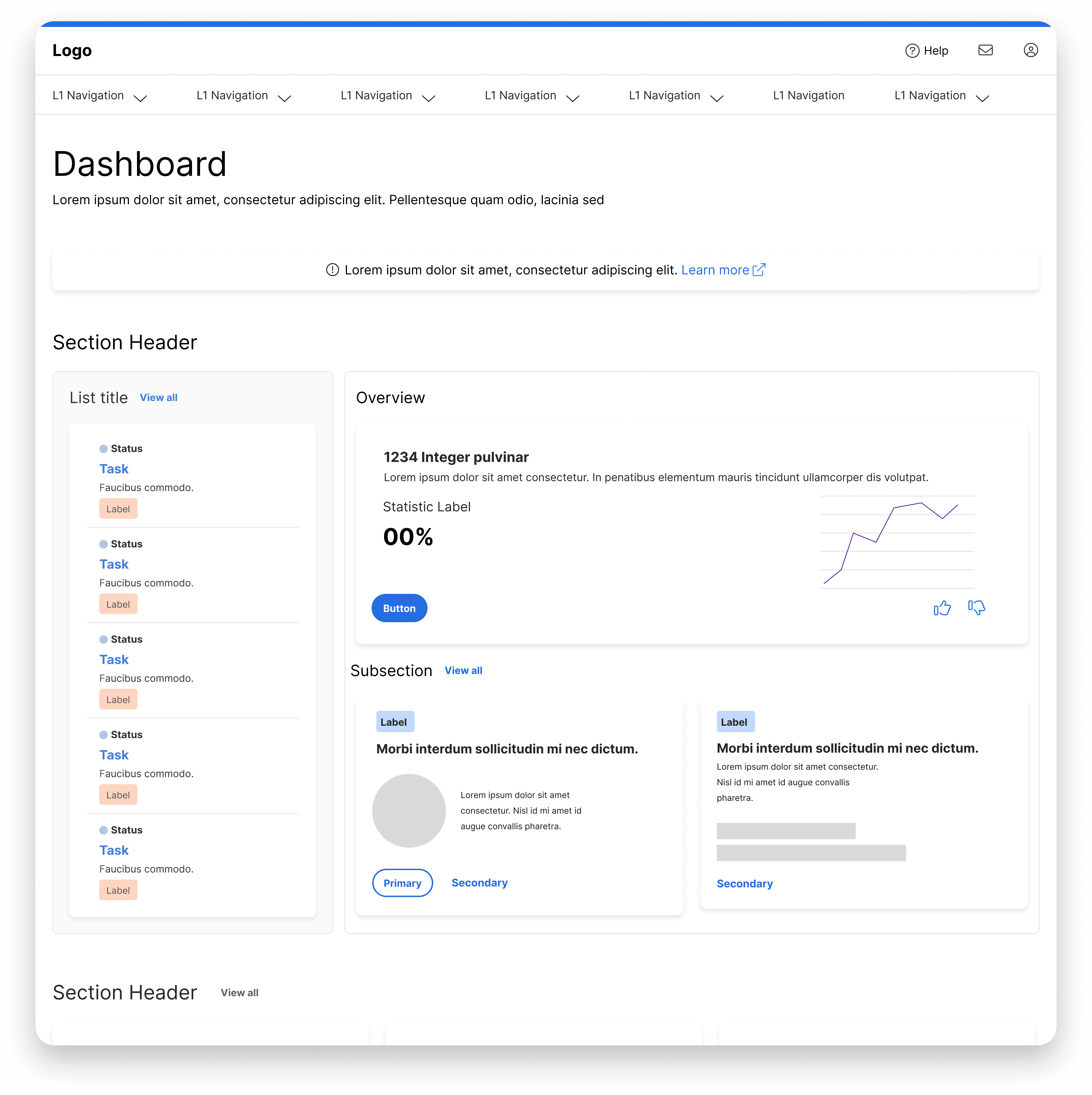
B2B administrative tooling platform supporting HR and benefits operations across large, distributed organizations.
Role
Senior Product Designer
Timeline
Multi-Year Project
Platform
Configuration & Management Platform
Summary
This project was multi-year initiative that focused on shifting control from internal delivery teams to clients by redesigning complex administrative tools into clear, scalable self-service experiences. I worked on enabled organizations to configure content, communications, access, and eligibility rules independently, reducing operational overhead while improving clarity and trust.
Problem
Clients depended on internal teams to manage critical updates
Before the introduction of client-facing tooling, updates to benefits sites required coordination with internal delivery teams. Even relatively small changes created delays, increased the risk of miscommunication, and made it difficult for clients to respond quickly to evolving needs.
Existing tools were powerful, but difficult to understand without expert guidance
Many of the underlying tools already existed for internal use, but their workflows assumed deep system knowledge. When expanding access to clients, these experiences needed to be rethought to reduce cognitive load, clarify impact, and prevent errors without oversimplifying complex configuration.
Goals
Enable confident, self-service administration without sacrificing control
The goal was not just to expose functionality to clients, but to design experiences that helped them understand what they were changing, why it mattered, and how it affected the broader system.
01
Reduce reliance on internal support
Design workflows that allow clients to complete common administrative tasks independently, minimizing the need for back-and-forth with internal teams
02
Make configuration understandable
Break down multi-step, rule-based processes into clear, guided interactions that help users reason about eligibility, content visibility, and system behavior
03
Maintain accuracy and integration
Introduce guardrails, validation, and clear state feedback to prevent misconfiguration while still allowing flexibility where it was appropriate.
04
Consistency at scale
Establish shared patterns and interaction models that could be reused across tools, ensuring new capabilities felt familiar as the platform expanded,
Approach
Designing clarity into complex, interconnected systems
I approached each tool as part of a broader ecosystem rather than a standalone experience. The focus was on helping clients understand what they were configuring, why it mattered, and how changes affected the system as a whole. Instead of removing complexity entirely, the goal was to make it legible, predictable, and safe to work with.
My role in shaping the system
For this project, I was the primary product designer responsible for several core self-service tools within the platform. I worked closely with product managers and engineers to define workflows, interaction models, and reusable patterns ensuring each tool aligned with a broader system strategy as the platform scaled.
Treating each tool as part of a shared system
Although tools were delivered as individual projects, they were designed with shared patterns and mental models in mind. I regularly evaluated how workflows, terminology, and interaction patterns carried across tools to reduce relearning and ensure a consistent experience as the platform expanded.
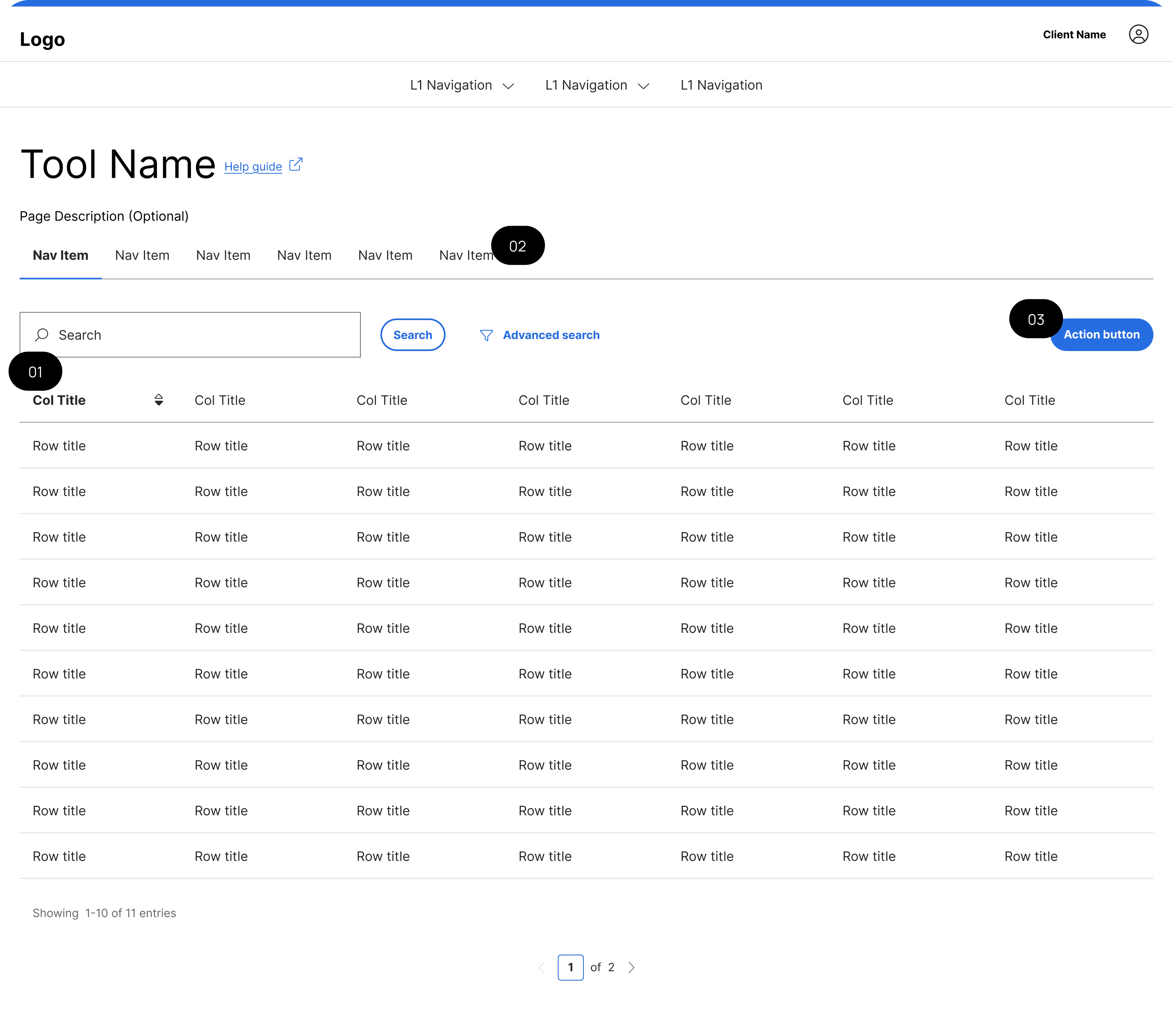
01
Shared table patterns with advanced search
Establishes a familiar way to manage and find data across tools, reducing relearning as the platform grows.
02
Consistent internal navigation
Horizontal tabs organize complex functionality within each tool while maintaining a predictable structure across the platform.
03
Shared table patterns with advanced search
Keeps primary actions in the same location across tools so users always know where to start.
Making complex configuration understandable
Many workflows involved multi-step, rules-based configuration with dependencies that could introduce risk if misunderstood. I broke these processes down through clear information hierarchy, progressive disclosure, and inline guidance so users could reason about eligibility, visibility, and outcomes as they worked.
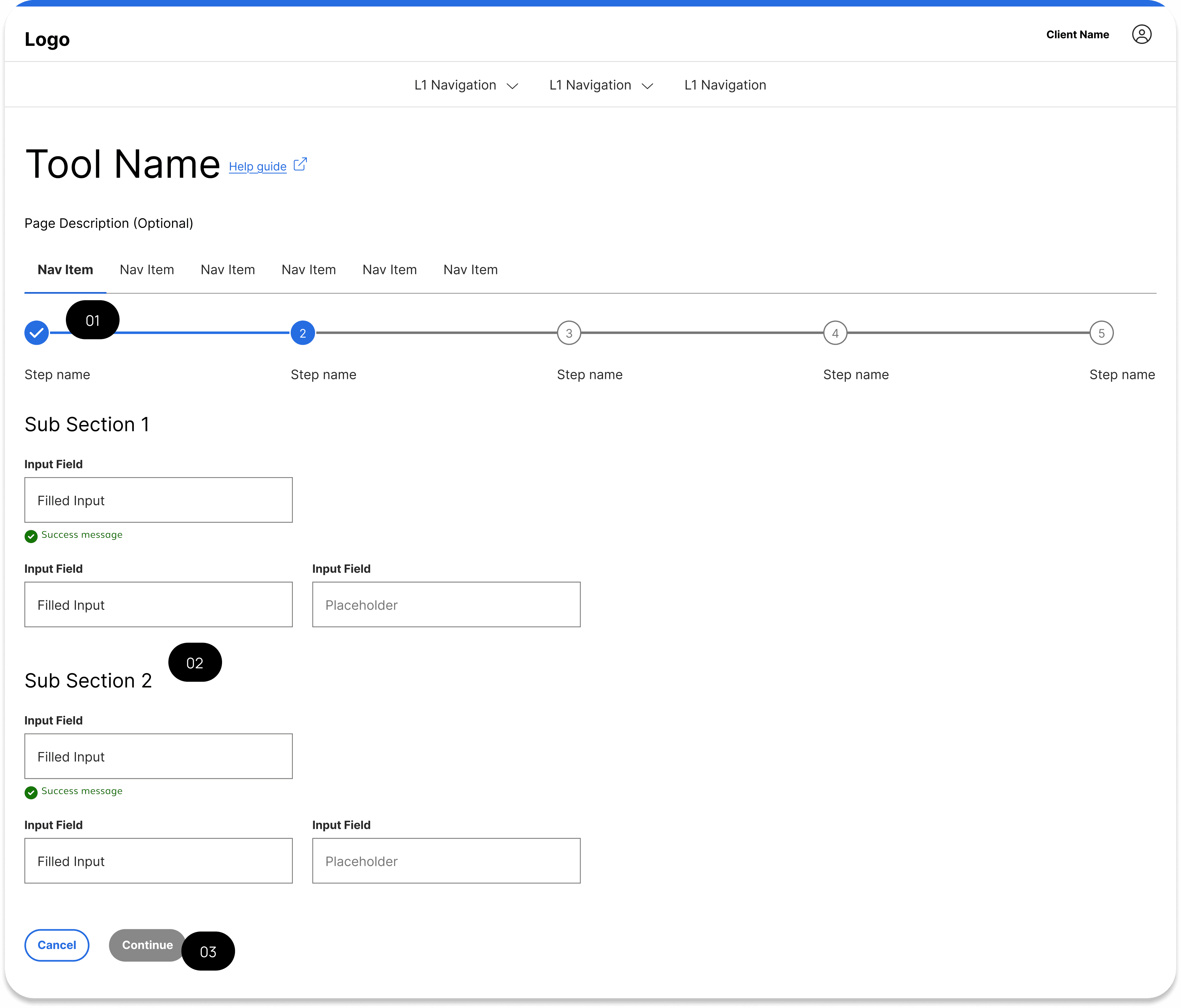
01
Stepper with clear progress
Breaks long, rules-based configuration into understandable steps, helping users orient themselves and understand where they are in the process
02
Structured subsections within each step
Groups related inputs and guidance together so users can process information incrementally instead of all at once.
03
Disabled primary actions
Prevents users from advancing before required information is complete, reducing errors and incomplete submissions.
Balancing flexibility with guardrails
A key challenge was enabling autonomy without increasing the likelihood of errors. Design decisions prioritized clarity over cleverness, using validation, previews, and explicit system feedback to guide users toward safe outcomes while still allowing flexibility where appropriate.
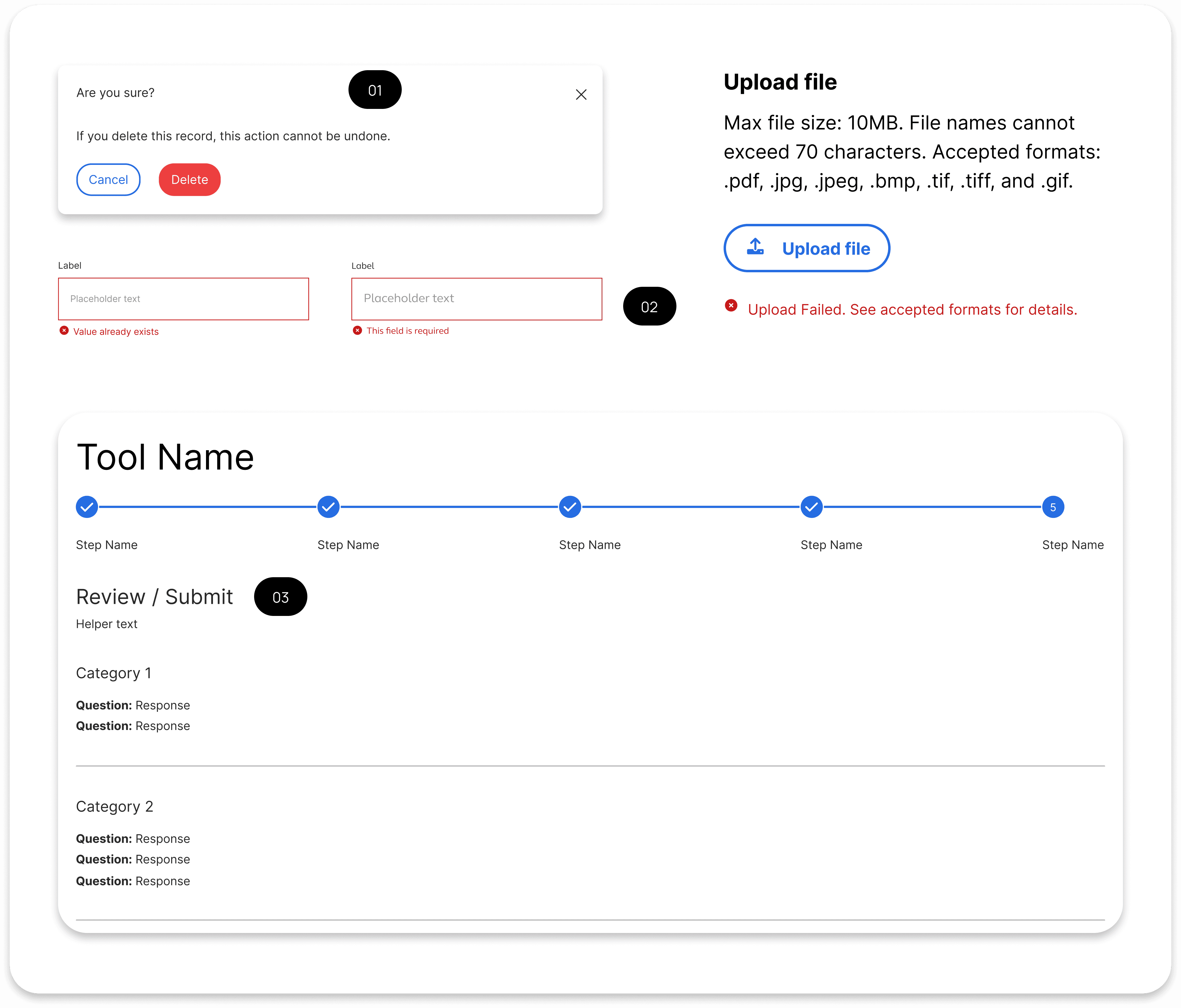
01
Inline validation and error messaging
Surfaces issues at the point of interaction so users can correct mistakes immediately without losing context.
02
Exit warning modal
Protects users from accidentally losing work by clearly communicating consequences before leaving a flow.
03
Final review / confirmation state
Allows users to review changes and understand impact before committing, reinforcing confidence and accuracy in high-risk workflows.
Outcomes
Enabling confident client ownership of complex workflows
The introduction of client-facing self-service tools shifted ownership of critical administrative work away from internal delivery teams and into the hands of clients. Tasks that previously required coordination, handoffs, and support tickets could now be completed independently, reducing turnaround time and operational friction. By designing consistent interaction patterns and clear mental models across tools, clients were able to understand not just how to make changes, but what those changes meant and how they affected the broader system. This clarity made it possible to support autonomy without compromising accuracy or control.
Building trust through consistency and system feedback
Rather than treating each tool as an isolated experience, shared patterns and feedback mechanisms reinforced predictability across the platform. Clients encountered familiar structures, terminology, and validation behaviors as they moved between tools, which reduced hesitation and increased confidence over time. Guardrails such as previews, validation states, and explicit system feedback helped prevent misconfiguration while still allowing flexibility where appropriate. This balance ensured that self-service scaled safely as new capabilities were introduced.
Key Takeaways
01
Self-service requires legibility, not simplification
Successful self-service does not come from hiding complexity, but from making it understandable. When users can reason about outcomes and dependencies, they are better equipped to act independently.
02
Consistency builds trust at scale
Shared patterns and interaction models reduce cognitive load and reinforce confidence, especially across large ecosystems of related tools.
03
Designing for scale means thinking beyond individual screens
Decisions made at the workflow and system level have a greater impact than isolated interface improvements when platforms grow over time.
04
Guardrails enable autonomy in high-risk workflows
Validation, previews, and clear feedback are essential for supporting flexibility without increasing the likelihood of costly errors.